Short answer
In GeoEQ SPT Logs, right-click the project and choose Export project PDF to get every borehole's sheets, in order, in a single PDF. For one borehole, use the Export PDF button in its borelog tab. What you see on screen is what is exported.
Steps
- 01
Review each borehole sheet
Open each borehole and check the sheet on the right and the badges under it. What you see on screen is exactly what is exported.
- 02
Set the depth per sheet for long boreholes
Use the Sheet spinner and the Depth per sheet box to control multi-page logs. The default is about 30 m per sheet.
- 03
Export one borehole to PDF
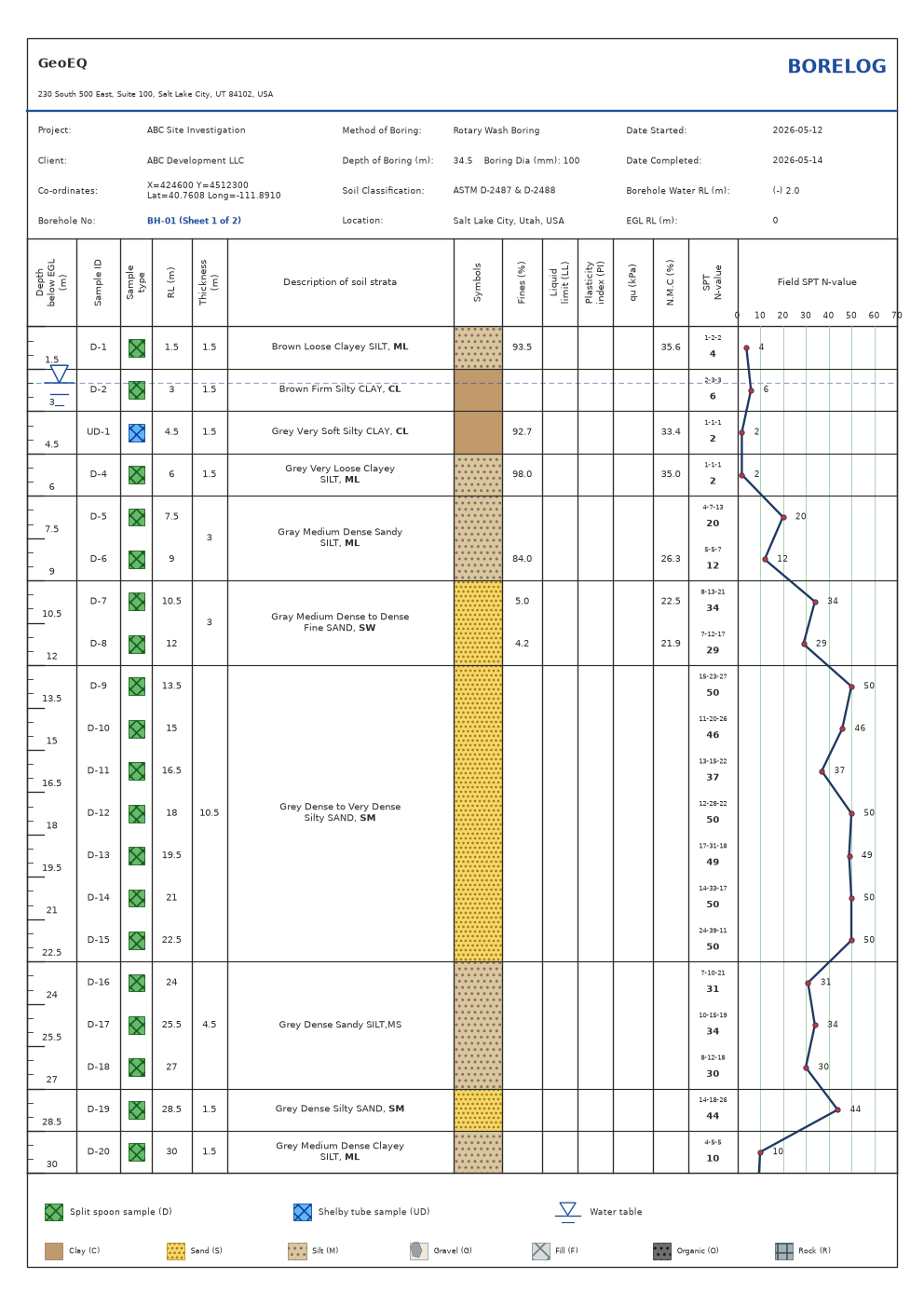
In the borehole's borelog tab, press Export PDF, or right-click the borehole in the explorer and choose Export PDF. A multi-sheet log exports all its pages.
- 04
Export the whole project to one PDF
Right-click the project and choose Export project PDF. Every borehole's sheets are written in order into a single PDF.
- 05
Open the PDF and check it
Page through the file to confirm that the header, sheet title and all boreholes appear as expected.
Before you start
Set your company header, logo and sheet title first, because they appear on every exported page. Fix any problems flagged in the badges under the sheet.
The PDF is made from the same drawing as the on-screen sheet, so edits you make in the tables are reflected in the next export.
Common problems
Pages are split where you do not want. Change the Depth per sheet value for that borehole and check how the sheets break before exporting.
The wrong title is printed. The sheet title comes from Company settings, for example BORING LOG or BOREHOLE LOG. Change it there and export again.
A borehole is missing from the project PDF. Export project PDF includes every borehole in the selected project. Confirm that the borehole sits under that project in the explorer, since a project file can hold more than one project.
What to do next
Keep the project file (.sbl) with the PDF. The file is plain JSON and, by default, sits in Documents\GeoEQ SPT Logs\Projects, which makes it easy to back up or sync.
Frequently asked questions
How do I put all boring logs in one PDF?
Right-click the project in GeoEQ SPT Logs and choose Export project PDF. Every borehole's sheets are exported in order into a single PDF.
Does a long borehole export all its pages?
Yes. A multi-sheet log exports all pages. The default is about 30 m per sheet, adjustable with the Depth per sheet box.
Will the PDF match what I see on screen?
Yes. What you see on screen is exactly what is exported.
Can I show rock core on the PDF?
Yes. If a borehole has core runs, the sheet shows the recovery bars below the rockhead and the PDF carries them.